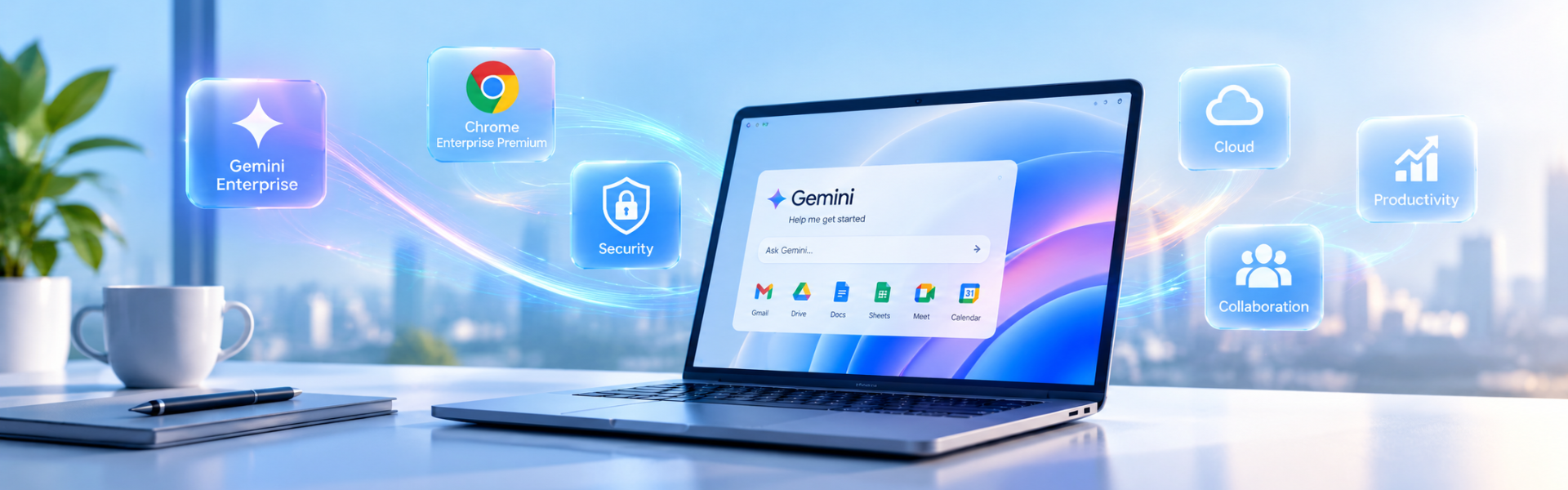
Secure End-to-End Enterprise Browsing & AI Workflows with Chrome Enterprise Premium from Metrodata
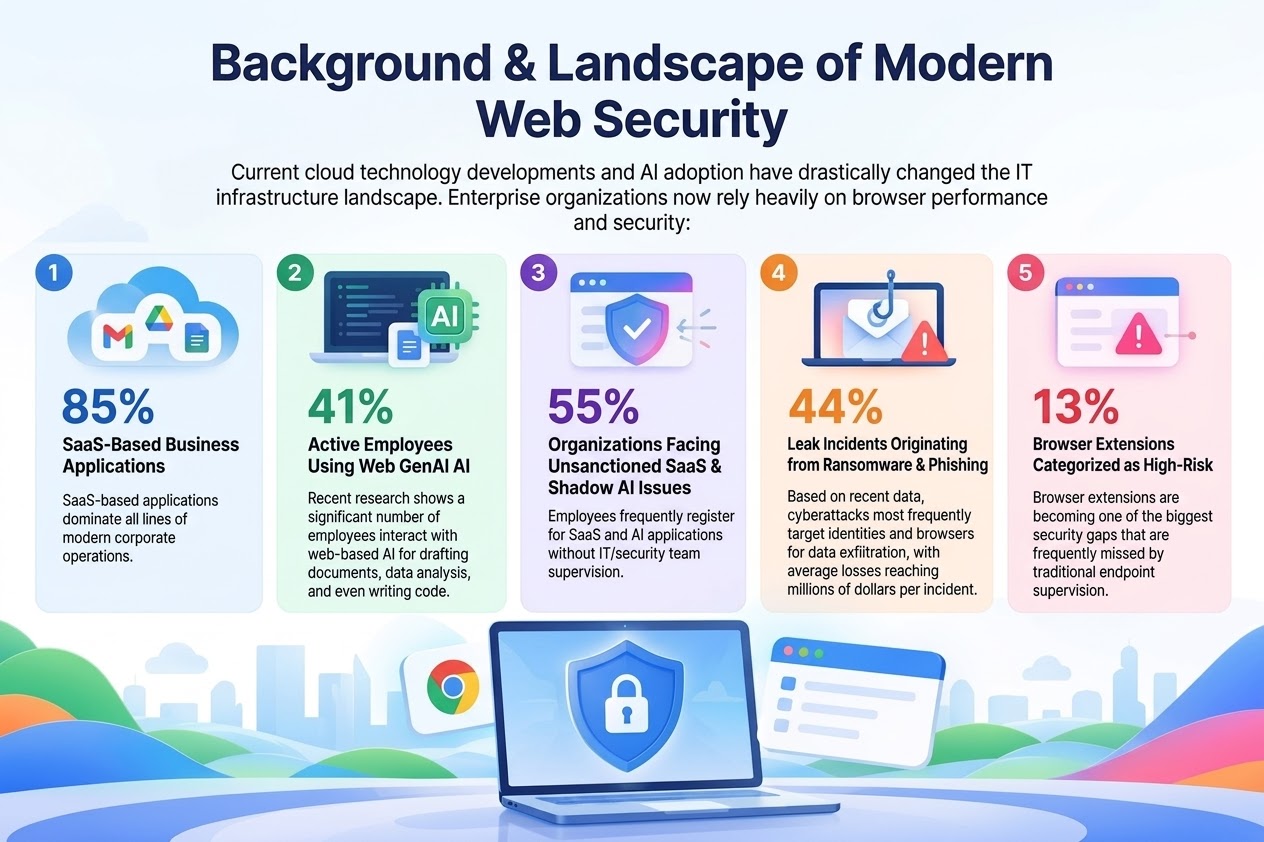
In today's era of digital transformation and hybrid work environments, the web browser has transformed into the de facto operating system where employees perform most of their daily work.
This ranges from operating enterprise SaaS applications and processing sensitive company data to utilizing Generative AI (GenAI) tools. The global Enterprise Browser Security market itself continues to experience rapid growth alongside increasing industry awareness. However, as workloads shift to the cloud and browsers, this area has become a primary target for various increasingly complex cyber threats.
Why Are Traditional Security Solutions No Longer Enough?
Many organizations still rely on adding security agents at the endpoint level or using traditional VPNs. However, this approach introduces various new problems:
- Decreased User Experience: Stacked solutions cause slow connections, lag, and disrupt daily productivity.
- High Complexity & Management Costs: Each solution requires separate patches, updates, and independent infrastructure.
- Network Bandwidth Waste: Data traffic rerouting strains corporate network capacity.
- Blind Spots in Browser Inputs & AI Prompts: Traditional DLP solutions fail to monitor text that is typed, copied/pasted, or uploaded directly into browser sessions and GenAI platforms.
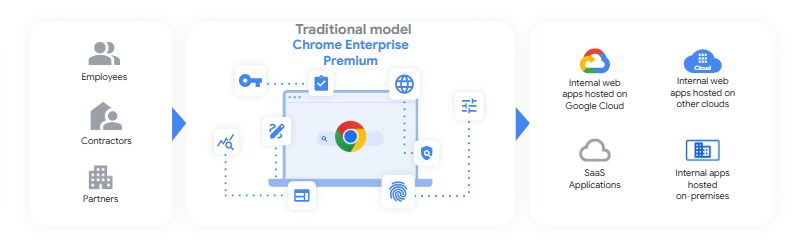
Chrome Enterprise Tiered Security Approach
Google provides a tiered approach so that companies can tailor the level of security control according to their operational needs:
- Chrome (Basic Protection): Focuses on essential daily user security, including Google Safe Browsing protection, sandboxing, and password management.
- Chrome Enterprise Core (Management & Visibility): Provides IT teams with greater control through profile management (including for BYOD devices), centralized policy settings, and device fleet reporting.
- Chrome Enterprise Premium (Comprehensive Protection): The highest and strictest layer of security. It features Zero Trust Access Control capabilities, Data Loss Prevention (preventing copy-paste, restricting file uploads/downloads), advanced Threat Protection, and deep security visibility.
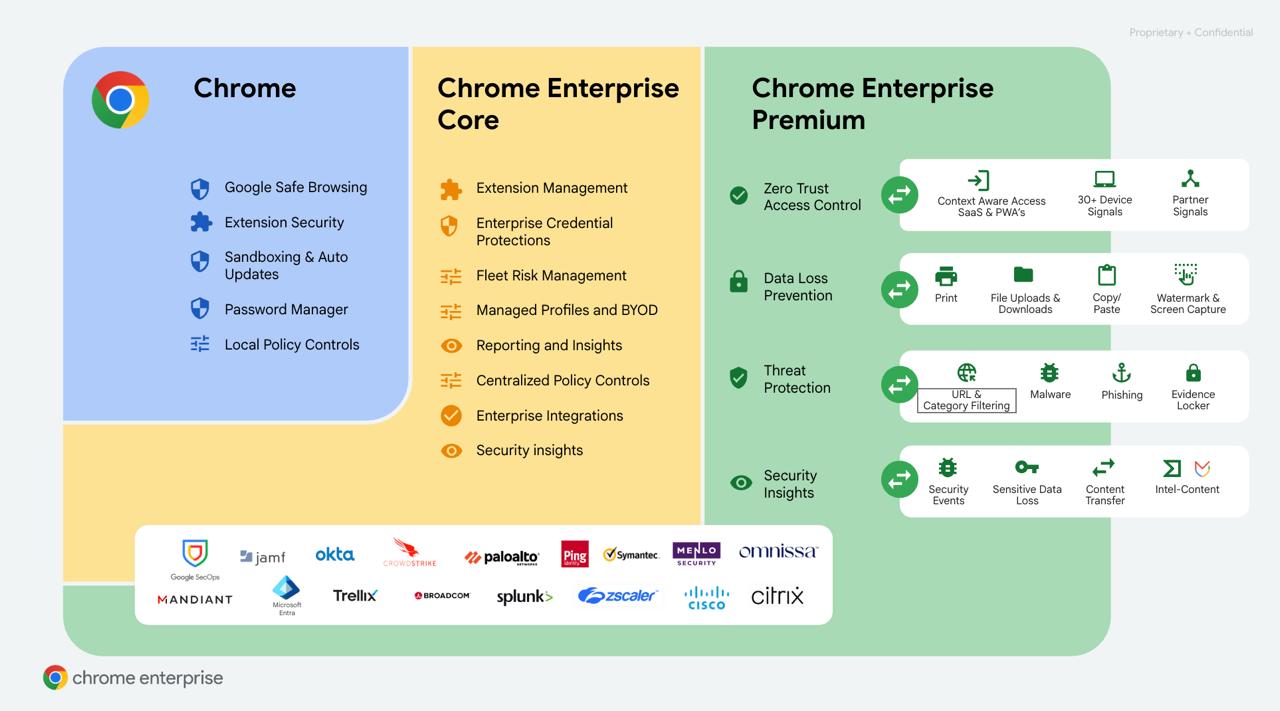
4 Main Chrome Enterprise Premium Solutions for Enterprise Security Challenges
1. Mitigate Insider and Data Exfiltration Risks
Data leak risks often originate from daily activities that are hard to monitor, such as when employees inadvertently use personal accounts or unverified platforms for work purposes. To close these security gaps, Chrome Enterprise Premium provides comprehensive oversight:
- Agentless DLP Deployment: Centralized configuration via the cloud without requiring endpoint agent installation.
- Flexible Sensitive Data Transfer Rules: Automated actions (Audit, Warn, Block) when users upload files or paste sensitive data.
- Risky Domain & Extension Visibility: Real-time monitoring of high-risk domains and extensions.
- SIEM & SecOps Integration: Direct log streaming to Google SecOps, Chronicle, Splunk, CrowdStrike, and Palo Alto.
2. Managing Access & Unmanaged Device Security (BYOD & Contractors)
Securing access for contractors and BYOD employees without the friction of slow VPNs:
- Context-Aware Access: Verifies device posture, location, and identity before access is granted.
- Separation of Work & Personal Profiles (Managed Profiles): Isolates the enterprise workspace from personal sessions.
- Information Leak Prevention: Blocks copy-paste, download, print, and screenshot functions on personal devices.
3. Simplifying & Reducing Reliance on VDI Infrastructure
Reducing expensive VDI operational costs with direct web access:
- SaaS-like Private Web App Access: Users can access private applications quickly and securely.
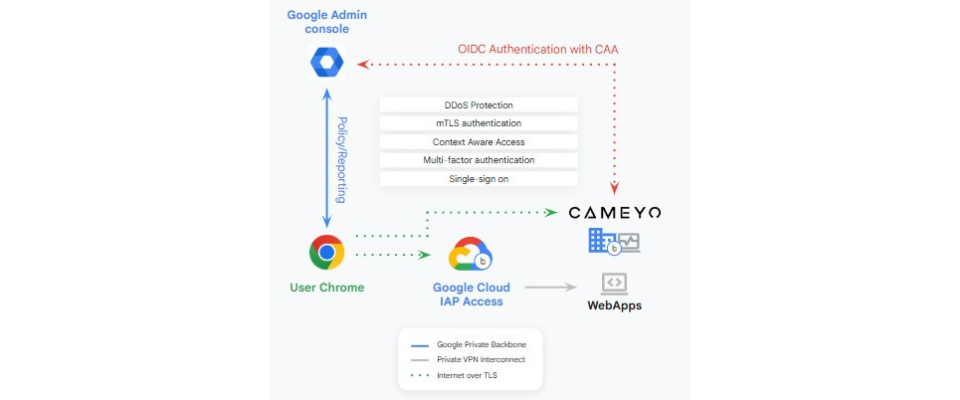
- Google Backbone & Cameyo Infrastructure: Integration with Google Cloud IAP and Cameyo for high performance and DDoS protection.
- Zero-Trust Authentication & SSO: Enforcement of MFA and Single Sign-On across all application suites.
4. Controlling Shadow IT & Shadow AI Access
Addressing the issue where 55% of organizations experience vulnerabilities due to unmonitored SaaS and AI applications:
- Intelligent URL Filtering: Blocks unauthorized sites and provides real-time phishing threat protection.
- File Transfer Data Protection Rules: Prohibits uploads of confidential documents to unapproved platforms.
- Chrome Device Trust Connectors: Seamless authentication integration with enterprise Identity Providers (IdPs).
Accelerating Safe GenAI Adoption with Gemini Enterprise (AI-Ready Browsing)
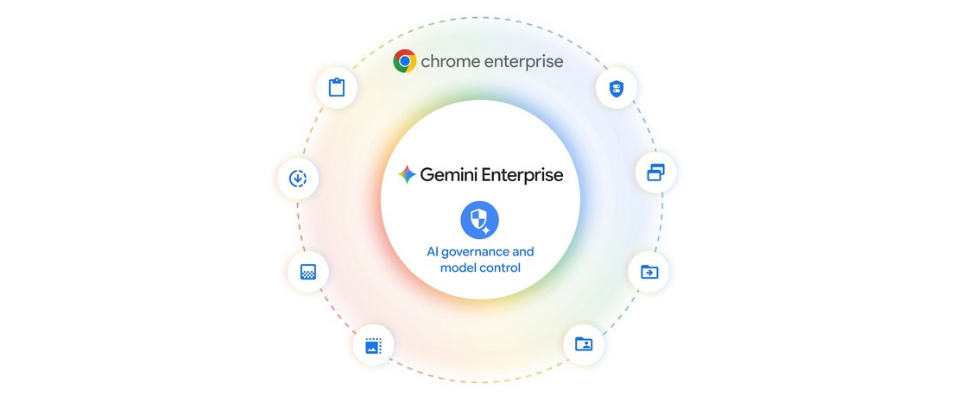
AI usage in the workplace continues to grow rapidly. With Chrome Enterprise Premium and Gemini Enterprise, organizations can leverage AI without worrying about data leaks:
- Frictionless Adoption & Wayfinding: Automatically redirects employees from unmonitored public AI tools to official enterprise platforms such as Gemini Enterprise.
- Auto Browse & Gemini Side Panel in Chrome: Brings Gemini capabilities directly to the browser side panel to assist with analysis, summaries, and daily task automation in a protected environment.
- Granular AI Content Security Features: Features Data Masking protection, Dynamic Watermarking, Screenshot Protection, Content Transfer Alerts, and Evidence Locker to prevent leaks of source code or financial reports to AI.
Why Develop Your Browser Security Strategy with Metrodata?
As PT Metrodata Electronics Tbk, a leading digital solution provider and technology innovator in Indonesia, we are ready to assist your company in implementing the latest Secure Enterprise Browsing strategy in 2026. Together with cloud and security solution experts from Metrodata, you will receive full guidance starting from architecture consultation, Proof of Concept (PoC), implementation, to daily operational support.
Contact Us for More Info:
google@metrodata.co.id